Visual search
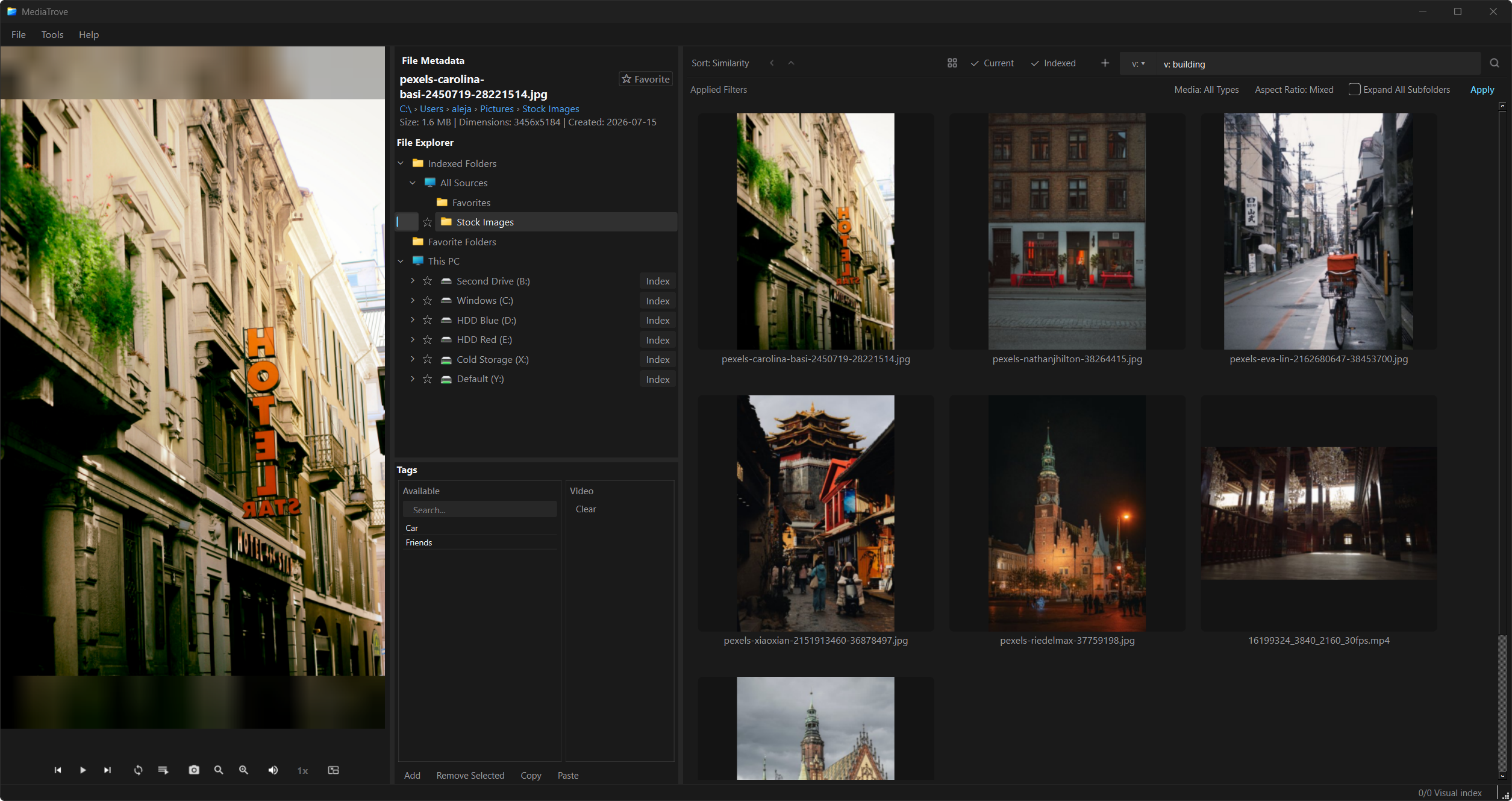
Local CLIP queries like v: building, or draw a region
on an image or paused frame. Nothing leaves this PC.
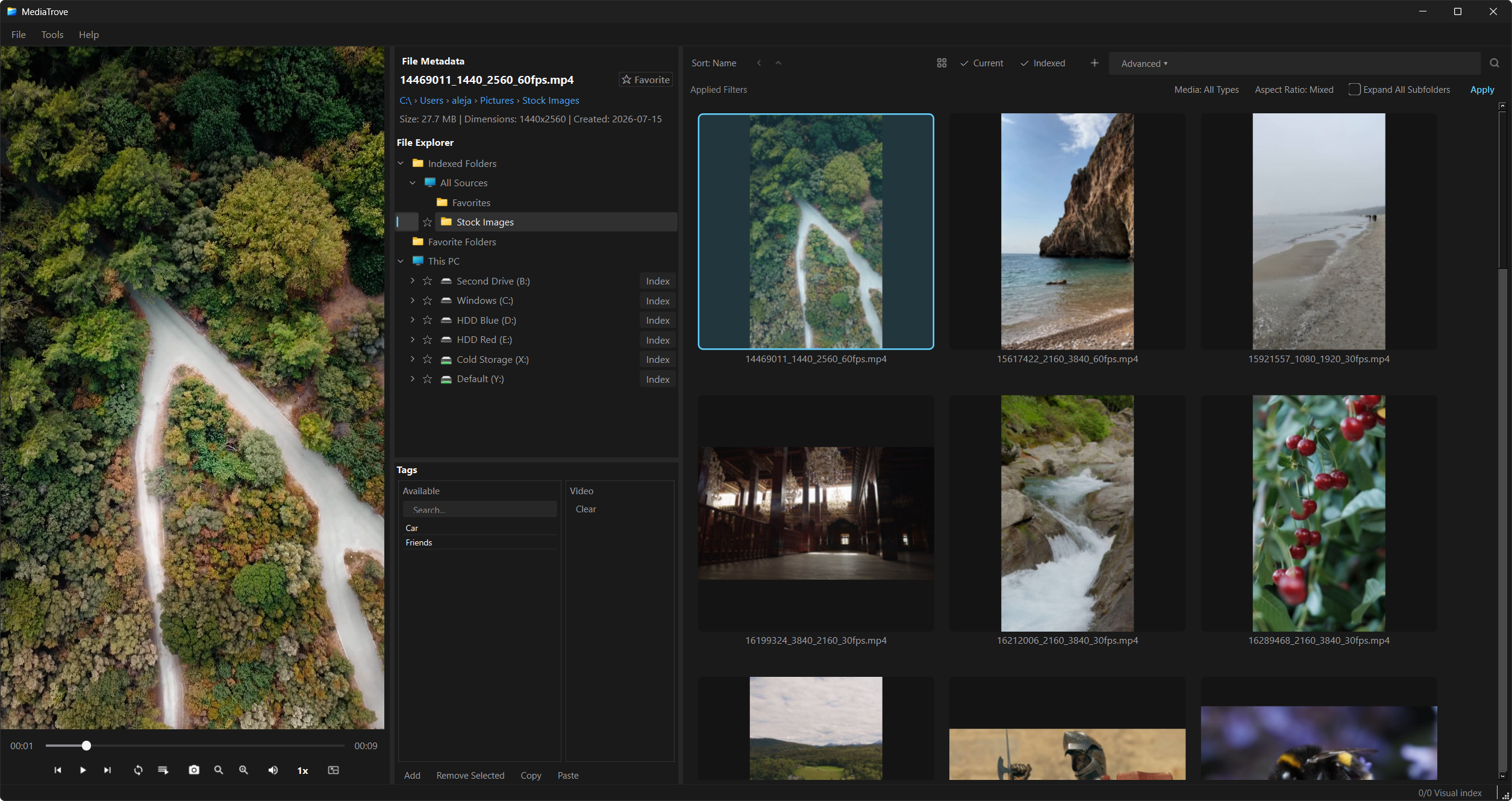
Your local media library — offline by design. Browse any folder, then add Library Sources for thumbnails, tags, and optional AI search.
v1.0.0 · Windows & macOS
Local CLIP queries like v: building, or draw a region
on an image or paused frame. Nothing leaves this PC.
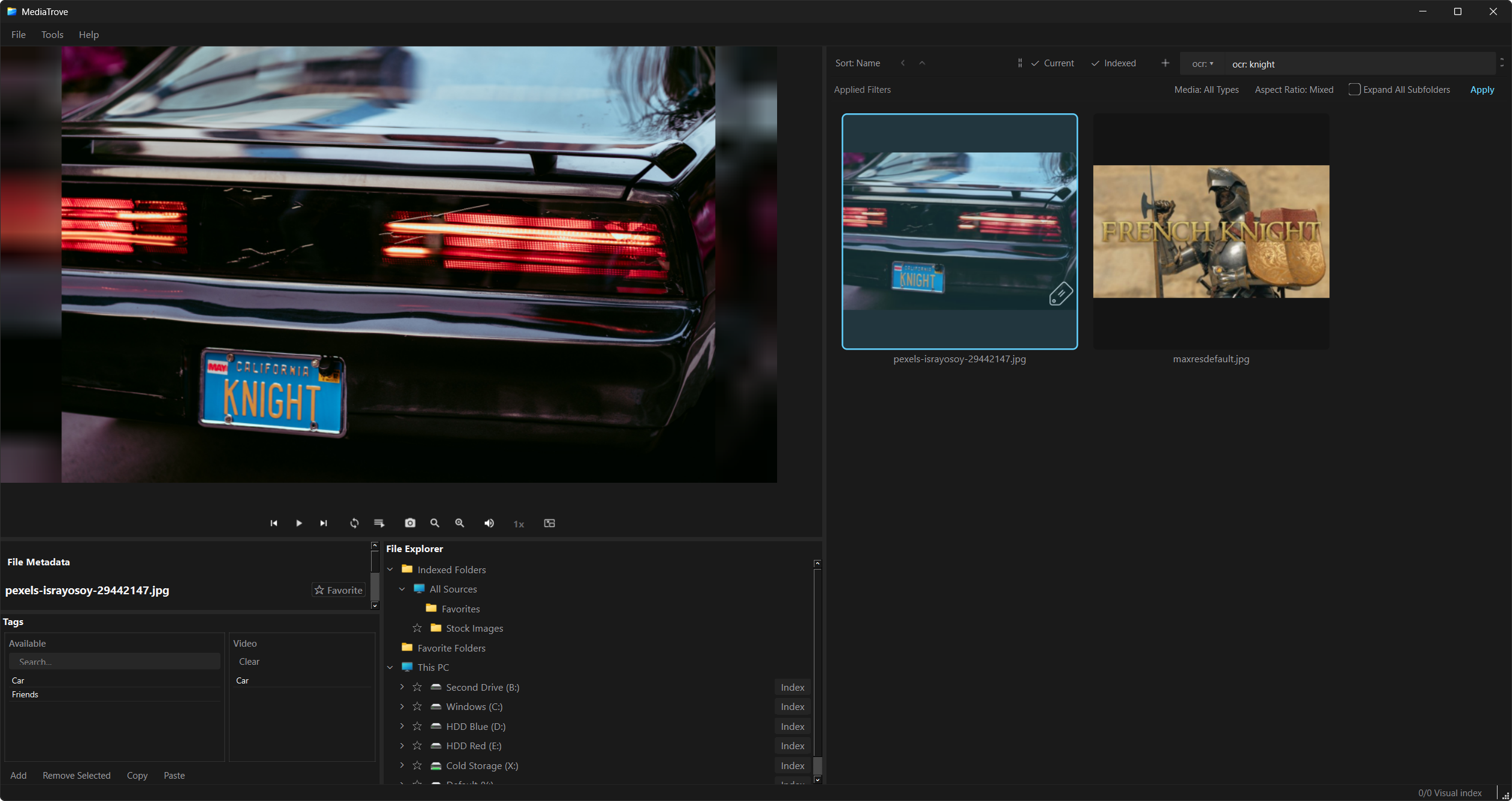
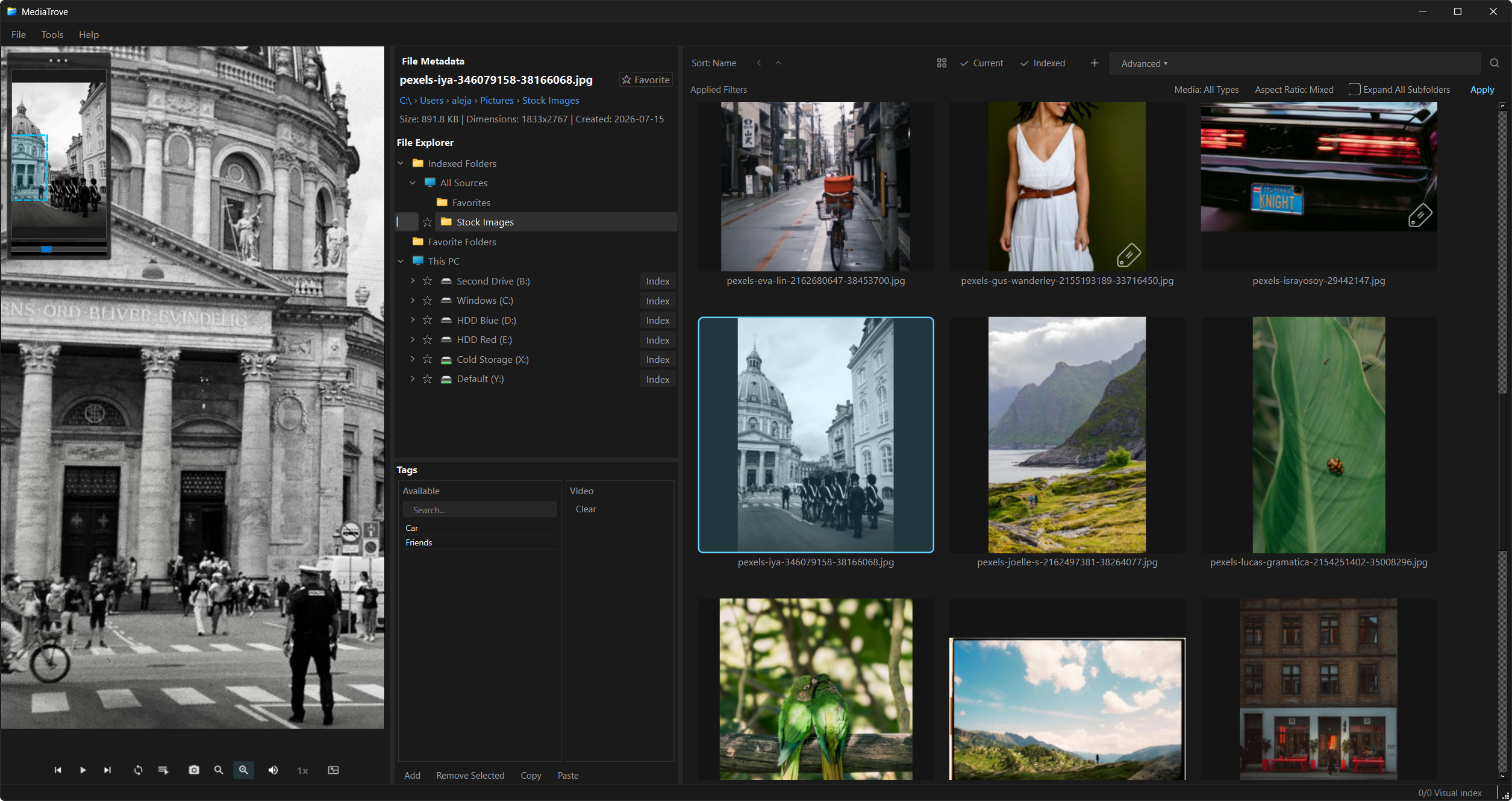
Search on-screen and burned-in text with ocr: —
for example ocr: knight. Part of the optional
AI Model Manager pack.
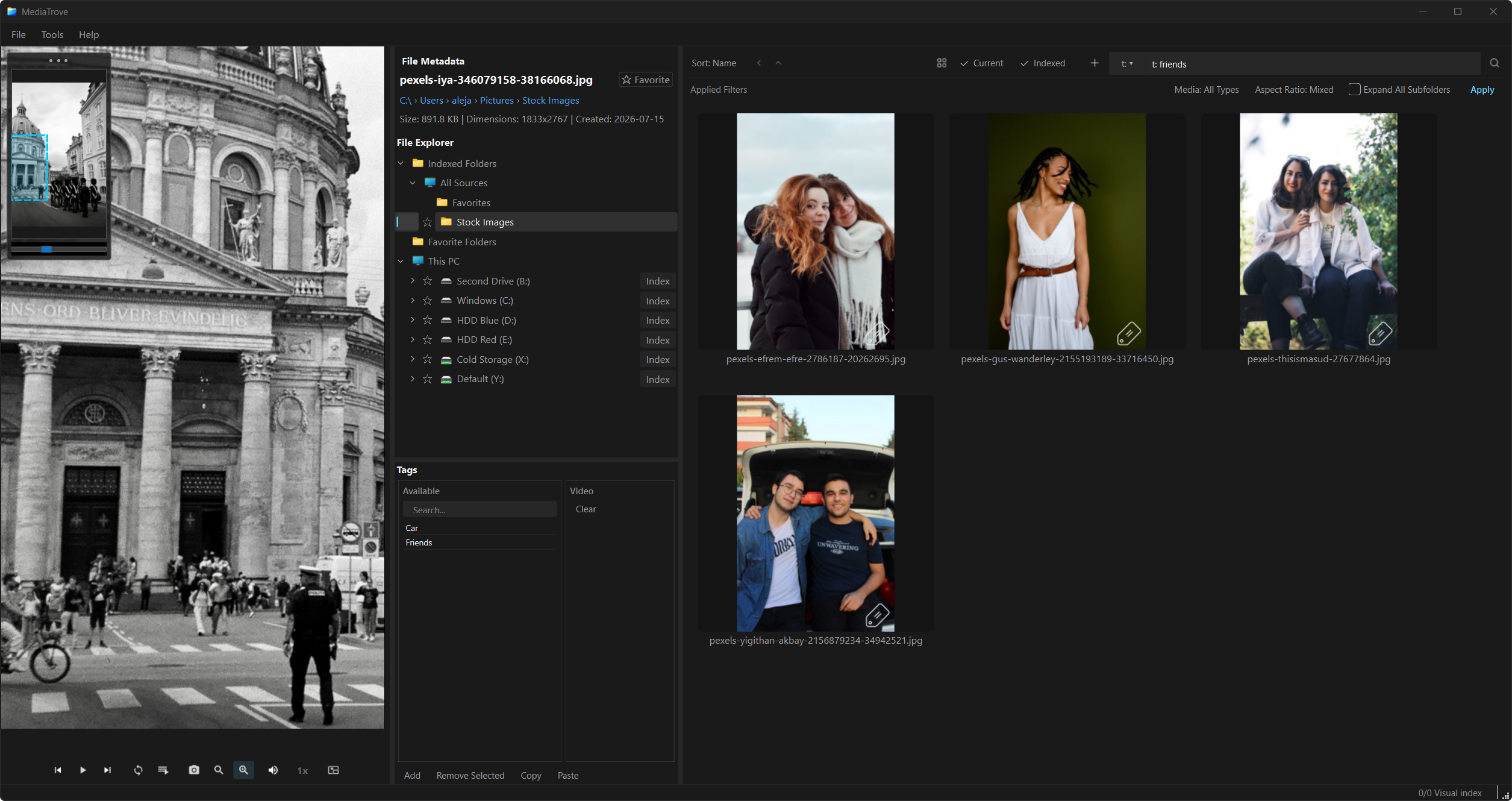
Filter your indexed library with t: — find everything
tagged friends in one pass. Move tags between Available
and the current file — add, remove, copy, and paste without leaving
the preview.
Inspect detail with the in-preview navigator and zoom crop — up to 10× on the main player.
Installers include FFmpeg and libVLC. Optional CLIP, face grouping, and OCR install later from Tools → AI Model Manager…
v1.0.0 · Setup.exe · .dmg
MediaTrove-Setup-*.exe, run the wizard, then open
MediaTrove from the Start Menu.
MediaTrove-*.dmg, open
it, and drag MediaTrove to Applications.
Windows may show SmartScreen on first run (unsigned build): More info → Run anyway. macOS builds are unsigned in v1 — right-click → Open if Gatekeeper blocks the app.